If you want to make a change to your review after you've marked it "complete":
Getting There
-
- On the home page at https://projects.sare.org/
- Log in with the account that was assigned proposals to review.
- If you don't see the proposals that are assigned to you, contact the regional administrator.
- Click “Manage my proposal reviews”.
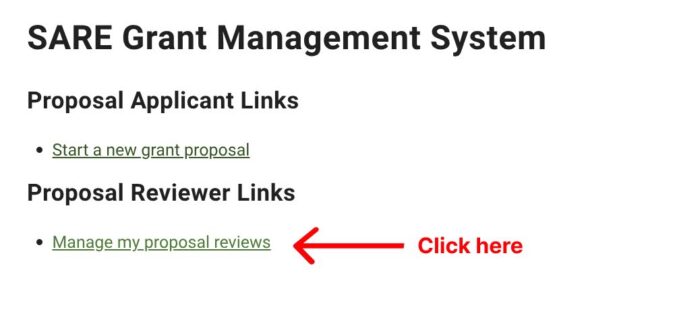
- You will see a list of your grants and their associated proposals that you are assigned to review.
- Click the title of the proposal you want to change your review.
Change your Review
-
- Scroll to the bottom, and click “Mark as incomplete”.
- Edit your answers by clicking “Edit Answer”.
- Click “Save” to keep the changes to this question.
- Click “Mark Complete”.
- Click “My reviews” to see all of your reviews.