Assign Reviewers
Getting There
- Go to SARE Projects at https://projects.sare.org/
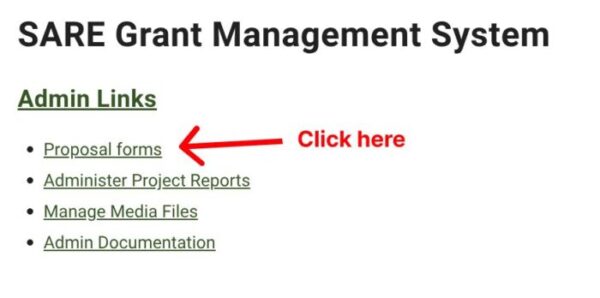
- On the home page, click “Proposal forms”.
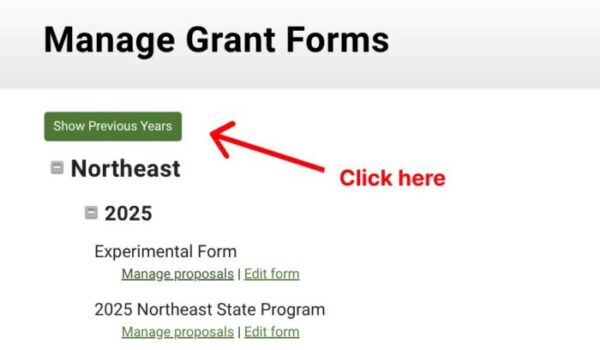
- Locate the grant year for the proposal you are looking for.
- Note: If you are looking for older proposals, then click the “Show Previous Years” button at the top.
- Scroll down to the desired year.
- Click the plus icon to see all of the grants.
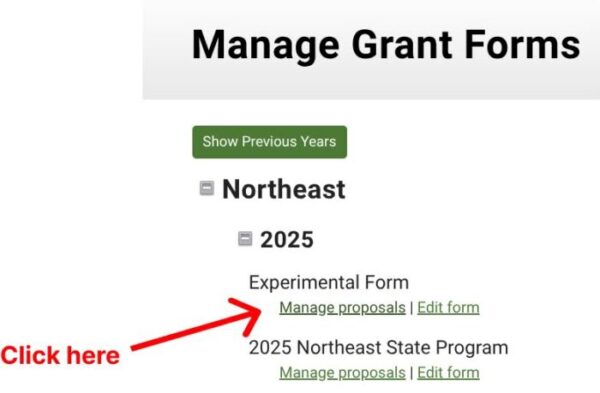
- Underneath the grant name, click “Manage proposals”.
See the Reviewers
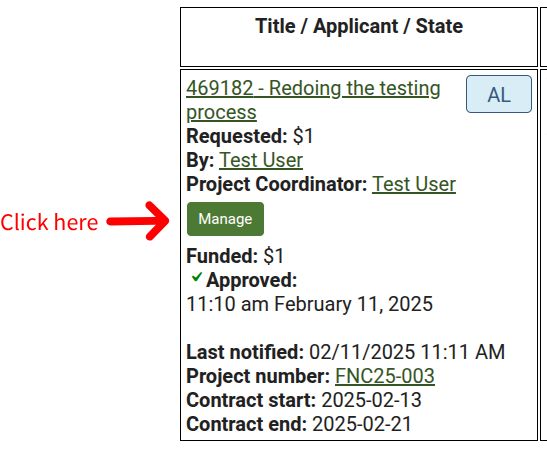
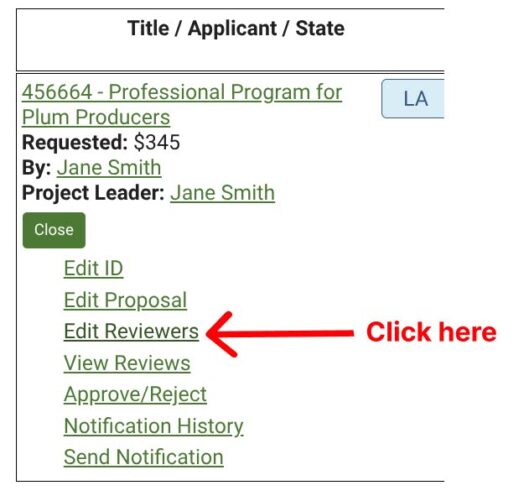
- Click “Manage” button in the Title / Applicant / State column.
- Click “Edit reviewers”.
Add the Reviewers
There are two ways to add reviewers:
Add reviewers individually:
- Enter the reviewer’s name or email address into the search box.
- Click “Search Users”.
- Click “Add” if the person and email is correct.
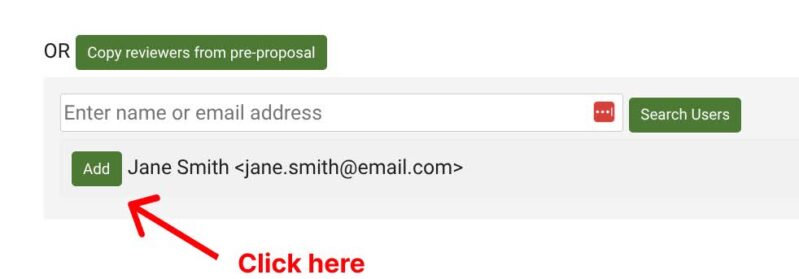
- You can continue to add more reviewers.
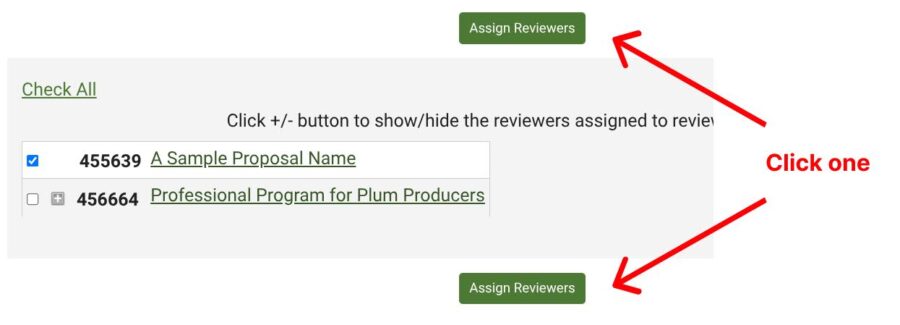
- When you’re done adding reviewers, check the checkbox next to the proposal that you want to assign the reviewers.
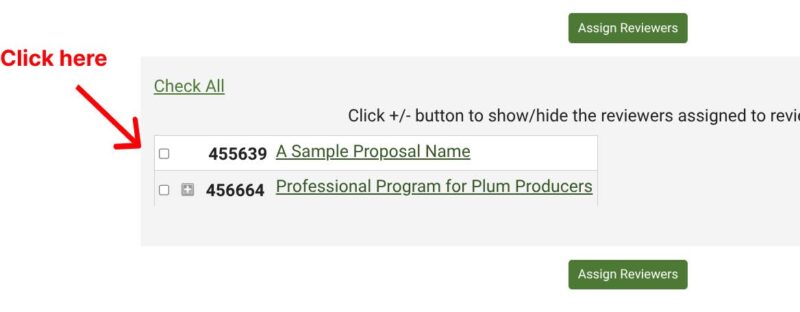
- Click “Assign Reviewers”.
Bulk-add same reviewers:
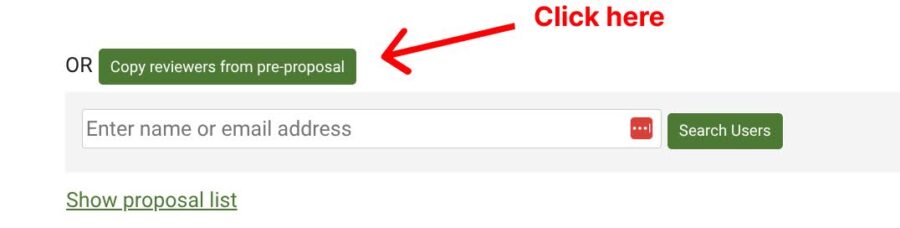
If the reviewers are going to be the same as the pre-proposal, then you can click “Copy reviewers from the pre-proposal”.
This will copy the reviewers from the pre-proposals to each proposal.
Confirm the Reviewers were Added
Double-check that the reviewers have been added correctly:
- Click “Show proposal list”.
- Click the plus icon to show the reviewers for each individual proposal.
- Alternatively, you can click “Show All Assigned Reviewers” to see all of the proposals’ reviewers.
Edit Reviewer Details
You can assign a role for each reviewer, if desired:
- Click the dropdown menu “No Role”.
- Select the role for the reviewer.
- Primary
- Secondary
- Tertiary
You can add a label for each reviewer, if desired:
- Click where it says “Optional Label”.
- Enter the desired label.
- The system will automatically save the label.
You can exclude the reviewer from submitting scores:
- Click the “Exclude scoring” checkbox.
Remove Reviewers
Note: Deleting a reviewer will delete all of their reviews too.
Getting There
- Go to SARE Projects at https://projects.sare.org/.
- On the home page, click “Proposal forms”.
- Locate the grant year for the proposal you are looking for.
See and Edit the Reviewers
There are two ways to see and get to the Edit Reviewers page:
- Click “Manage Reviewers”.
- Click “Manage” button under the Title column header.
- Click “Edit reviewers”.
- Click “Manage” button under the Title column header.
- Click “Show All Assigned Reviewers”.
- Under each proposal, you will see the reviewers.
Delete the Reviewers
- Click the X to delete a reviewer from a proposal.
- You will be prompted to confirm that you want to delete the reviewer.